
Managing five, 10, or 50 WordPress websites separately can turn routine updates into a full-time job. This WordPress multisite hosting guide explains when a shared WordPress network makes sense, what your hosting environment needs, and where the trade-offs deserve a closer look.
For a growing business, multisite can reduce repetitive work without forcing every website into the exact same mold. It is especially useful when sites share ownership, technical management, themes, or approved plugins. The key is choosing it for the right reason, then giving the network enough resources and safeguards from day one.
What WordPress Multisite Actually Does
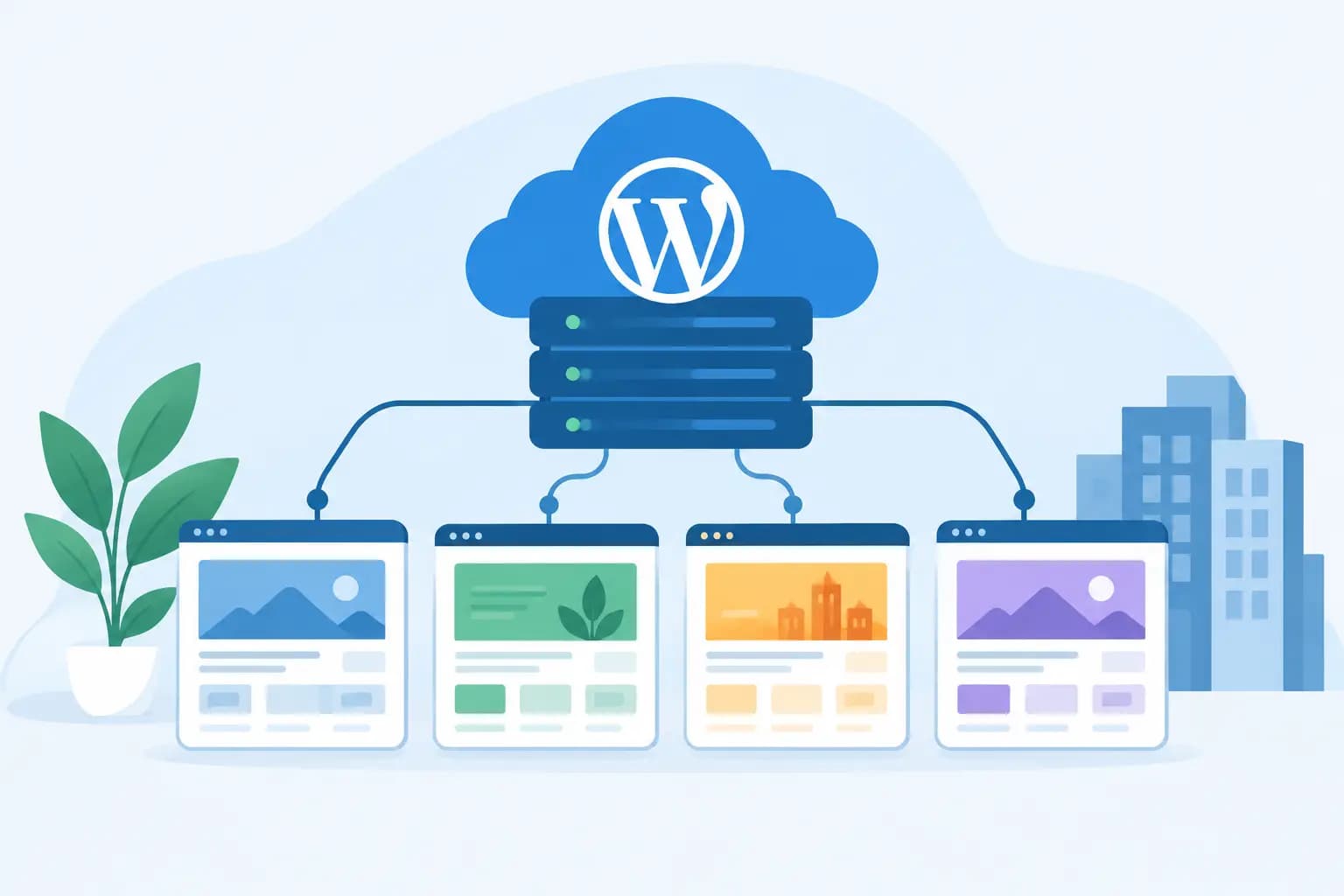
WordPress Multisite is a built-in WordPress feature that lets one installation run a network of sites. A network administrator controls the core WordPress version, installed themes, available plugins, and many network-wide settings. Individual site administrators can manage their own pages, posts, menus, users, and content within the permissions you assign.
A practical example is a real estate group with a main company site plus separate sites for regional offices. A nonprofit may use it for a national site and local chapter sites. A web professional may use it to maintain several related client brands that follow the same technical standards.
Each site can use its own domain or subdomain, have a unique design, and publish different content. However, the sites share one WordPress codebase and usually one database. That shared foundation is what makes updates easier, but it also means a problem at the network level can affect every site.
When Multisite Is a Smart Business Choice
Multisite works best when the websites are connected operationally, not just owned by the same person. If you want centralized updates, consistent security controls, and simpler management of common features, it can save substantial time.
It is often a strong fit for franchises, school districts, associations, multi-location businesses, content networks, agencies with standardized client packages, and organizations managing separate microsites. It can also help entrepreneurs who operate several closely related brands and want one team to manage the technical side.
The model is less attractive when each site needs entirely different plugins, custom server settings, or independent development schedules. In that case, separate WordPress installations provide cleaner boundaries. A plugin conflict, resource spike, or poorly planned update in a multisite network has a wider blast radius than the same issue on a standalone site.
Ownership matters, too. If clients expect full control over their own hosting, plugins, and technical decisions, separate accounts are often easier to hand off. Multisite is generally best for a centrally managed group of sites rather than a collection of unrelated websites.
WordPress Multisite Hosting Guide: Start With Capacity
Multisite does not automatically require an enterprise-level server. But it does require hosting that can handle the combined activity of every site in the network. A plan that performs well for one small brochure site may struggle once several sites receive traffic, run backups, update plugins, and process form submissions at the same time.
Look beyond storage alone. Fast NVMe storage helps with database and file operations, while adequate CPU and memory help WordPress process requests during busy periods. LiteSpeed Enterprise and server-side caching can improve page delivery, and Redis object caching may be valuable for larger or more dynamic networks. These tools do not replace good site design, but they can reduce unnecessary server work.
Your hosting provider should also support current PHP versions, SSL certificates, reliable database performance, scheduled tasks, and access to backups. A staging environment is especially useful because network-wide changes should be tested before they reach every live site.
For a small network with low traffic, quality managed WordPress hosting or a well-configured shared plan may be enough. As traffic, ecommerce activity, membership features, or the number of sites grows, a higher-resource WordPress plan, VPS, or managed server environment is usually the safer path. The right choice depends on actual usage, not the number of sites alone.
Choose Subdomains or Subdirectories Early
During setup, WordPress asks how new sites should be structured. You can use subdomains, such as shop.example.com, or subdirectories, such as example.com/shop. Both can work well, but the decision affects branding, DNS configuration, and how visitors understand the network.
Subdomains are often useful for distinct locations, departments, or product lines. They can feel more like separate properties while still sitting within the same organization. They also require properly configured wildcard DNS and SSL coverage so new subdomains work securely.
Subdirectories are often simpler for tightly connected sections of one brand. They can keep the site structure easy to understand and may be a good fit for resources, regional pages, or program sites. If you plan to use completely separate custom domains for each site, confirm that your hosting setup supports domain mapping and the SSL configuration you need.
Make this decision before building heavily. Changing a network structure later can require redirects, database updates, testing, and careful SEO planning.
Plan Roles, Plugins, and Themes Before Launch
Multisite changes who can install and control software. In a standard WordPress site, an administrator can typically add plugins and themes. In a multisite network, those capabilities usually belong to the Super Admin, the network-level role.
This is a benefit when you want standards. You can approve a dependable set of plugins for forms, backups, search optimization, performance, and ecommerce, then make them available only where needed. It reduces duplicate tools, surprise costs, and security concerns caused by unreviewed plugin installs.
The trade-off is flexibility. Site managers may need a new feature quickly, but they cannot always install it themselves. Set a clear process for requests, testing, approvals, and updates. This keeps your team responsive without letting plugin sprawl create a maintenance problem.
Use as few network-activated plugins as practical. A network-activated plugin runs across every site and can be difficult to disable selectively. When a feature is only needed for one site, activate it for that site instead.
Security and Backups Need Network-Level Thinking
Because multisite shares core files and a database environment, security should be managed centrally. Use strong, unique passwords, require multifactor authentication where available, remove inactive accounts, and give users only the access they need. A contributor should not have administrator permissions simply because they need to publish articles.
Keep WordPress core, plugins, and themes updated on a predictable schedule. Before a major update, test it on a staging copy of the network. Check the most important functions: forms, checkout flows, member logins, navigation, site search, and any integrations that bring in leads or customer data.
Backups should be automatic, frequent, and tested. Ask what is included in a backup, how long copies are retained, and how a restoration works for one site versus the entire network. A backup is only useful when it can be restored accurately within a timeframe your business can accept.
For businesses serving customers across multiple states or managing location-based sites, centralized oversight can be a real advantage. One maintenance policy is easier to apply consistently than 20 separate ones.
Performance: One Busy Site Can Affect the Rest
The biggest operational reality of multisite is shared resources. A popular blog post, seasonal sales campaign, or heavy WooCommerce activity on one site can consume CPU, memory, database connections, or disk activity that other sites also need.
Start with efficient themes, optimized images, page caching, and a limited plugin stack. Review performance regularly rather than waiting for a slowdown. If one site consistently uses far more resources than the others, it may be time to optimize that site, move a high-demand function to specialized infrastructure, or separate it from the network.
Ecommerce, online courses, membership portals, and appointment systems deserve extra planning because logged-in visitors and dynamic content are harder to cache. Multisite can support these use cases, but hosting requirements rise quickly when transactions and logged-in sessions increase.
Migration and Launch Checklist
If you are converting existing sites into a network, treat the move as a structured project rather than a quick setting change. Audit every theme, plugin, user role, domain, form, redirect, and integration first. Some plugins are not multisite-compatible, and user accounts may behave differently once sites are consolidated.
Build and test the network in a staging environment whenever possible. Confirm that custom domains resolve correctly, SSL certificates cover every live domain, transactional emails are delivered, and backups are running. Then schedule the launch during a lower-traffic period and keep a rollback plan available.
A hosting team that understands WordPress migrations can reduce avoidable risk, particularly when several sites, databases, and domain records are involved. GiddyHost can help businesses evaluate an appropriate WordPress environment and migration path without making the process feel overly technical.
Make the Network Serve the Business
Multisite is not a shortcut for every multi-website situation. It is a management model that rewards standardization, planning, and proactive maintenance. When your sites share a purpose and your team benefits from centralized control, the time savings can be meaningful.
Start with the sites you manage now, the features they truly need, and the level of independence each owner requires. A thoughtfully sized hosting plan, tested backup process, and clear update routine will do more for long-term confidence than adding unnecessary complexity later.


